
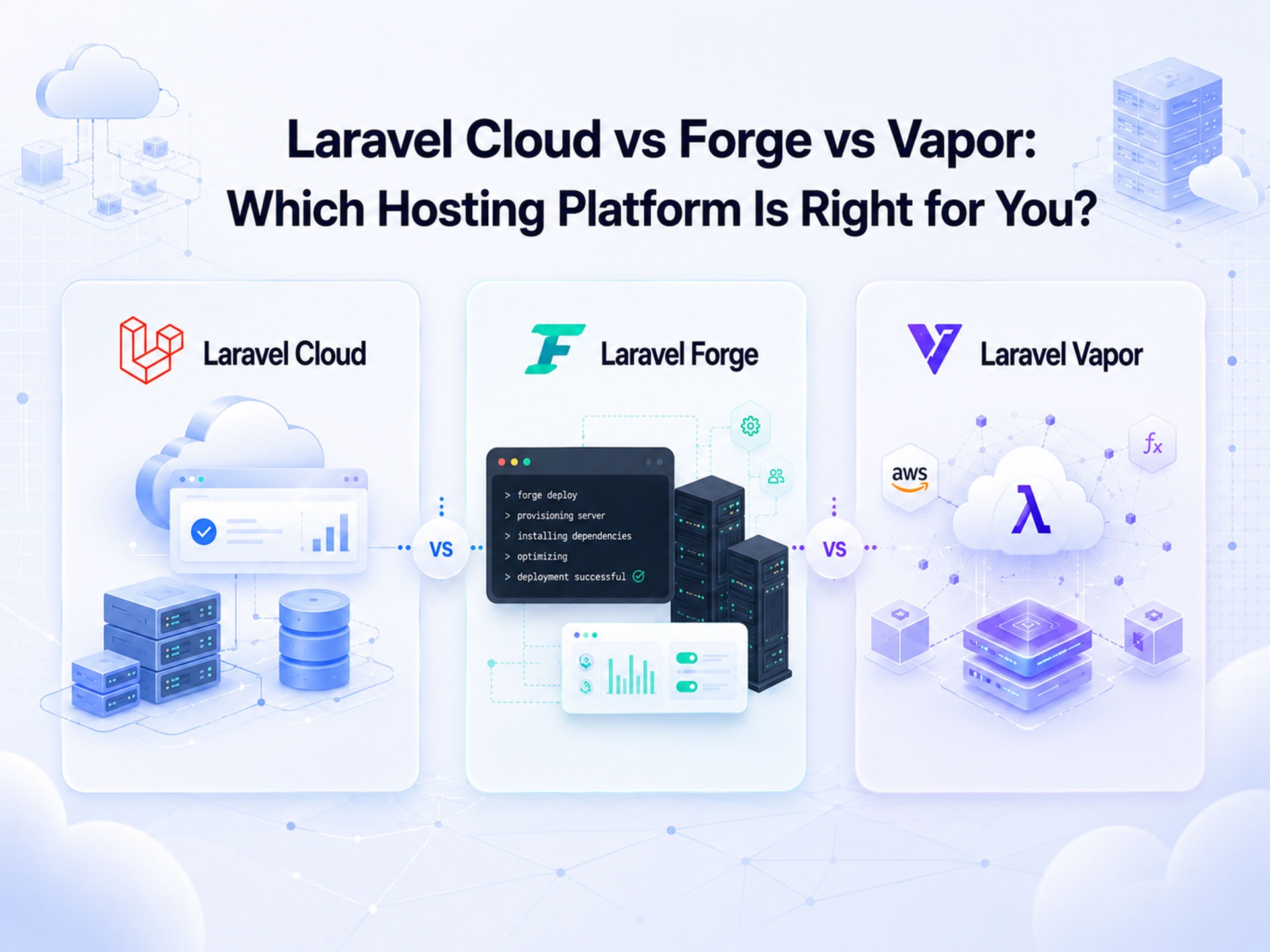
Before you choose between Laravel Cloud, Forge, and Vapor, think about what happens after launch. When traffic grows, features expand, and maintenance becomes part of everyday work, which Laravel deployment platform will actually make your life easier six months from now?
Why? Because even though Laravel Cloud, Forge, and Vapor are all built to simplify deployment, they solve very different problems. The right choice depends on whether you need complete control over the infrastructure, a serverless architecture, or a fully managed Laravel experience.
Let’s compare Laravel Cloud vs Forge vs Vapor side by side.
Before we explore each platform in depth, here’s a side-by-side comparison of Laravel Cloud, Forge, and Vapor.
| Feature | Laravel Cloud | Laravel Forge | Laravel Vapor |
|---|---|---|---|
| Type | Fully managed | Server management | Serverless |
| Hosting | Built-in | BYO provider | AWS (Lambda, S3, etc.) |
| Scaling | Auto | Manual | Auto |
| Setup Complexity | Low | Medium | Medium-High |
| Database | Built-in | Self-provisioned | AWS RDS |
| Best for | Simplicity, speed | Control, flexibility | Scale, AWS-native apps |
Now let’s go deeper on each one to understand its strengths, trade-offs, and the types of projects it’s best suited for.
Launched in 2024, Laravel Cloud is the answer to a common developer problem: “I just want to deploy my app and move on.”
Laravel Cloud is a fully managed hosting platform that runs on AWS and takes care of the infrastructure for you. So instead of setting up servers, configuring deployments, or managing security updates, you can focus just on building your Laravel application.
It comes with many essentials already built in, including MySQL and Serverless PostgreSQL databases, queue clusters, object storage, automatic backups, monitoring, logging, and preview environments for every pull request. It also includes free SSL certificates, edge caching, DDoS protection, and automatic scaling of CPU, memory, and storage as your application grows.
In short, Laravel Cloud aims to make deploying a Laravel app feel as simple as pushing your code and letting the platform handle the rest.
Laravel Cloud shines because it removes a lot of the infrastructure headaches that come with running applications in production. You don’t need to worry about server setup, operating system updates, security patches, or manually scaling resources. For startups, small teams, and developers who don’t have a dedicated DevOps engineer, that’s a huge advantage.
The convenience comes with a compromise: less control.
Laravel Cloud is designed to be managed for you, so you don’t get the same level of server access and infrastructure customization that you would with Forge. If your application needs highly specific server configurations, custom software installations, or complete control over the underlying environment, you may find Laravel Cloud limiting.
You can think of it this way: Laravel Cloud is great if your goal is “just make it work.” However, if your team likes tweaking every part of the infrastructure, you’ll probably need Forge.
If Laravel Cloud is for developers who don’t want to think about servers, then Laravel Forge is for developers who want control without having to do everything from scratch.
Laravel Forge is a server management and deployment tool that helps you provision and manage servers on cloud providers such as AWS, DigitalOcean, Linode, Hetzner, and Vultr. Instead of manually configuring Nginx, PHP, databases, SSL certificates, firewalls, and deployment scripts, Forge automates much of the setup process.
Here’s the important difference: Forge does not host your application. You bring your own server, and Forge helps you manage it.
Once connected, Forge can handle server provisioning, application deployment, database setup, scheduled tasks, queue workers, SSL certificates, backups, and monitoring. You still own the infrastructure and decide how much CPU, RAM, storage, and networking resources your application gets.
Forge strikes a balance between convenience and control. It removes much of the repetitive server setup work while still giving you full access to your infrastructure.
This makes it a popular choice for agencies, growing startups, and development teams that need custom server configurations or want the flexibility to choose their own cloud provider. Since you’re renting servers directly from providers like AWS or DigitalOcean, costs can also be more predictable than some fully managed platforms.
Forge simplifies server management, but it doesn’t eliminate it.
You are still responsible for the underlying infrastructure. That means monitoring server health, planning capacity, implementing scaling strategies, managing server-level security, and fixing issues when something goes wrong.
Think of Forge as giving you the keys to the car while helping with navigation. You get much more flexibility than Laravel Cloud, but you’re still the one driving.
If Laravel Cloud removes server management and Forge simplifies it, Laravel Vapor takes a completely different approach: it removes servers from the equation altogether.
Laravel Vapor is Laravel’s serverless deployment platform built on AWS Lambda. Instead of running your application on traditional servers, Vapor executes your code only when requests come in. This means AWS automatically handles scaling, availability, and much of the infrastructure management behind the scenes.
Vapor comes with built-in support for services such as AWS Lambda, S3 storage, CloudFront CDN, serverless databases, queues, caching, and scheduled tasks. It can automatically scale from a handful of users to thousands of requests without you having to provision additional servers.
The biggest advantage of Vapor is scalability.
Because it runs on AWS’s serverless infrastructure, your application can handle traffic spikes without you having to worry about server capacity. You also pay primarily for the resources you use, which can be attractive for applications with unpredictable traffic patterns.
Vapor is especially useful for SaaS products, APIs, and modern cloud-native applications that need high availability and automatic scaling without a dedicated operations team.
Serverless sounds great, but it comes with limitations.
Not every Laravel application is a perfect fit for AWS Lambda. Long-running processes, resource-intensive workloads, large file operations, and applications that rely heavily on traditional server behavior may require additional workarounds. You’ll also be working within AWS Lambda’s execution limits and architecture.
Another consideration is complexity. While Vapor manages much of the infrastructure, understanding how AWS services interact becomes more important as your application grows.
Think of Vapor as the platform built for scale first. If your application needs to handle unpredictable traffic with minimal infrastructure management, it’s a powerful option. But if you need complete flexibility or traditional server behavior, Forge or Laravel Cloud may be a better fit.
To get a clearer picture of what sets these platforms apart, let’s compare their core capabilities.
The table below provides a side-by-side comparison of Laravel Cloud, Forge, and Vapor across the features that matter most.
| Feature | Laravel Cloud | Laravel Forge | Laravel Vapor |
|---|---|---|---|
| Infrastructure Management | Fully managed by Laravel | Managed by you | Mostly managed by AWS and Vapor |
| DevOps Involvement | Minimal | Moderate to High | Moderate |
| Infrastructure Control | Limited | Full control | Moderate |
| Cloud Provider Support | AWS | AWS, DigitalOcean, Vultr, Linode, Hetzner, and more | AWS only |
| Managed Databases | Built-in managed MySQL and Serverless PostgreSQL | Self-managed or provider-managed databases | AWS RDS integration |
| Storage | Built-in object storage | User-configured storage | AWS S3 integration |
| Queues & Workers | Managed queue infrastructure | User-managed queue workers | Serverless queues via AWS services |
| Monitoring & Metrics | Built-in monitoring and health metrics | Server metrics and monitoring tools | AWS monitoring integration |
| Logging | Centralized platform-managed logs | Server-based logs | AWS CloudWatch logging |
| SSL / HTTPS | Automatic SSL certificates | Automatic SSL certificates | Automatic SSL via AWS services |
| Backups | Managed backups | User-controlled backups | AWS-managed database backups |
| Preview Environments | Built-in pull request previews | Requires custom setup | Available with additional configuration |
| Custom Software Installation | Limited | Full flexibility | Limited |
| Long-Running Processes | Supported | Supported | Limited by Lambda execution constraints |
| Server Access (SSH) | No | Full SSH and root access | No traditional server access |
| Cold Start Issues | None | None | Possible Lambda cold starts |
| Support for Non-Laravel Apps | Primarily Laravel-focused | Supports Laravel, PHP, and other server-hosted applications | Primarily Laravel-focused |
Each of these Laravel deployment platforms follows a different pricing model, and the total cost depends on factors and how much operational work your team handles internally.
Let’s take a look at these factors in the table below.
| Cost Factor | Laravel Cloud | Laravel Forge | Laravel Vapor |
|---|---|---|---|
| Hosting Included | Yes | No | No |
| Server Costs | Included in usage-based pricing | Paid separately to the cloud provider | Paid separately through AWS |
| Database Costs | Usage-based managed databases | Paid to the cloud provider | AWS database charges apply |
| Storage Costs | Usage-based | Depends on the provider | AWS S3 charges apply |
| Scaling Costs | Automatic scaling with usage | Requires larger servers or additional infrastructure | Usage-based serverless scaling |
| Cost Predictability | Moderate | High | Low to Moderate |
| DevOps Costs | Very low | Higher | Moderate |
Laravel Cloud combines hosting, deployment, databases, storage, monitoring, and scaling into a single platform. Instead of paying separately for servers and management tools, you pay for the resources your application consumes.
For small applications, costs can remain relatively low. As traffic, database usage, worker processes, and storage grow, monthly expenses increase accordingly. The main benefit is that infrastructure management is largely handled for you, reducing the need for dedicated DevOps resources.
A startup or SaaS team with limited operational experience may find the higher platform cost worthwhile because it eliminates many day-to-day infrastructure responsibilities.
Laravel Forge is usually the easiest platform to budget for because its subscription fee is fixed. However, Forge only manages servers. It does not provide them.
You’ll still need to pay for infrastructure from providers such as AWS, DigitalOcean, Vultr, Linode, or Hetzner. Your total monthly cost is the combination of your Forge subscription and your cloud hosting bill.
For example, a small application running on a modest VPS may cost less than many managed platforms. Forge is attractive for agencies, freelancers, and teams comfortable managing servers. The trade-off is that someone must still handle server maintenance, updates, monitoring, and scaling decisions.
Laravel Vapor follows a serverless pricing model. Beyond the Vapor subscription itself, costs are based on actual AWS resource consumption, including Lambda executions, databases, storage, networking, queues, and caching services.
For applications with unpredictable traffic, this can be highly efficient because resources scale automatically during spikes and scale back down when demand decreases.
However, forecasting costs becomes more difficult as applications grow. High-traffic workloads, frequent Lambda executions, heavy database usage, and large data transfers can significantly increase monthly spending. Teams choosing Vapor should be comfortable monitoring AWS usage and understanding how serverless billing works.
| Scenario | Recommended Option |
|---|---|
| Lowest infrastructure management effort | Laravel Cloud |
| Most predictable monthly spending | Laravel Forge |
| Lowest cost for small self-managed projects | Laravel Forge |
| Best for unpredictable traffic spikes | Laravel Vapor |
| Best for teams without DevOps expertise | Laravel Cloud |
| Best balance of cost and flexibility | Laravel Forge |
The right choice often comes down to who will be responsible for running the application after deployment.
Choose Laravel Cloud if your team wants the simplest path to production. It handles most infrastructure tasks behind the scenes, making it a strong option for startups, product teams, and businesses without dedicated DevOps resources.
Choose Laravel Forge if you need flexibility and control. It works well for agencies, development teams, and organizations that prefer selecting their own cloud provider, customizing servers, and managing infrastructure on their terms.
Choose Laravel Vapor if your application demands automatic scaling and cloud-native architecture. It’s particularly well-suited for SaaS platforms, APIs, and applications with unpredictable traffic patterns that can benefit from serverless infrastructure.
Think beyond today’s requirements. A platform that feels perfect for a small project may become limiting as traffic, team size, and operational needs grow. The best choice is the one that aligns with both your current workload and your future scaling plans.
Can Laravel Cloud, Forge, and Vapor be used together?
Yes. They are not mutually exclusive. Many teams use Forge to manage legacy applications, Vapor for serverless workloads, and Laravel Cloud for newer Laravel projects. The right mix depends on your infrastructure strategy and application requirements.
Can Laravel Cloud host non-Laravel PHP applications?
Laravel Cloud is built specifically for Laravel and offers the best experience for Laravel-based projects. While some PHP applications may run with modifications, it is not intended to be a general-purpose PHP hosting platform like Forge-managed servers.
Is Laravel Cloud just AWS with a Laravel dashboard?
Not quite. Laravel Cloud runs on AWS infrastructure, but it adds a Laravel-focused layer that handles deployment, databases, scaling, monitoring, storage, security, and operational tasks. You interact with Laravel Cloud rather than managing AWS services directly.
How does Laravel Cloud’s security compare to AWS and Cloudflare?
Laravel Cloud includes built-in SSL, edge caching, DDoS mitigation, and security features out of the box. However, it is not a replacement for the full range of services offered by AWS or Cloudflare. Organizations with advanced networking, custom WAF rules, or global traffic-routing requirements may still use Cloudflare alongside Laravel Cloud.
Does Laravel Vapor eliminate AWS management?
No. Vapor simplifies deployment to AWS, but your application still relies on AWS services such as Lambda, RDS, S3, and CloudFront. As your infrastructure grows, understanding AWS pricing, permissions, and architecture becomes increasingly important.
Can I move an application from Forge to Cloud or Vapor later?
Yes, but the migration effort varies. Moving from Forge to Cloud is generally straightforward because both support traditional Laravel application patterns. Migrating to Vapor may require additional adjustments for serverless architecture, file handling, queues, and background jobs.
Which platform gives the most control over infrastructure?
Forge offers the highest level of control. You choose the server provider, operating system, database setup, scaling approach, and security configuration. Cloud and Vapor prioritize convenience and automation over complete infrastructure access.
Which platform is least likely to surprise me with infrastructure issues?
Laravel Cloud. Since Laravel manages most of the operational layer, teams spend less time troubleshooting servers, operating system updates, networking issues, and scaling configurations.
Can Laravel Vapor replace Forge for every project?
Not always. Vapor works exceptionally well for APIs, SaaS products, and event-driven applications, but some workloads are better suited to traditional servers. Applications with long-running processes, specialized server software, or unique infrastructure requirements may fit Forge better.
If Laravel Cloud is newer, should that be a concern?
For most teams, no. The bigger question is whether its managed approach aligns with your needs. Teams that value simplicity and faster deployment often benefit from Cloud, while organizations that require deep infrastructure customization may still prefer Forge or Vapor.


